Shoot your carlike a pro.
Walk around it once. Your iPhone tells you exactly where to stand and takes every photo a buyer looks for.
iPhone only for now: iPhone Pro models with a LiDAR scanner. Coming soon to the App Store.
Five steps, mostly walking
No photography skills needed. The app runs the shoot; you follow one instruction at a time.
-
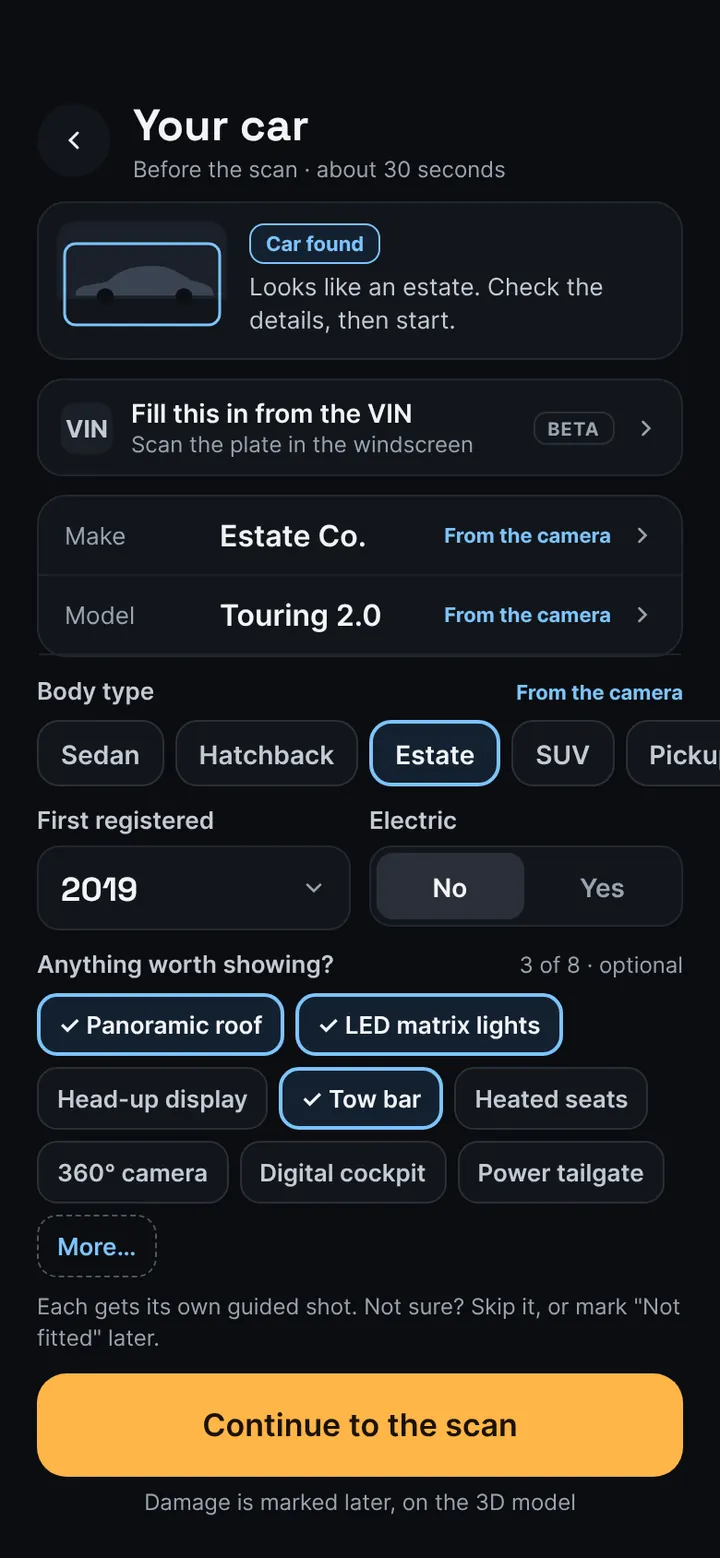
Tell us about your car
Make, body type, year and the extras worth showing. The camera fills in most of it.
-
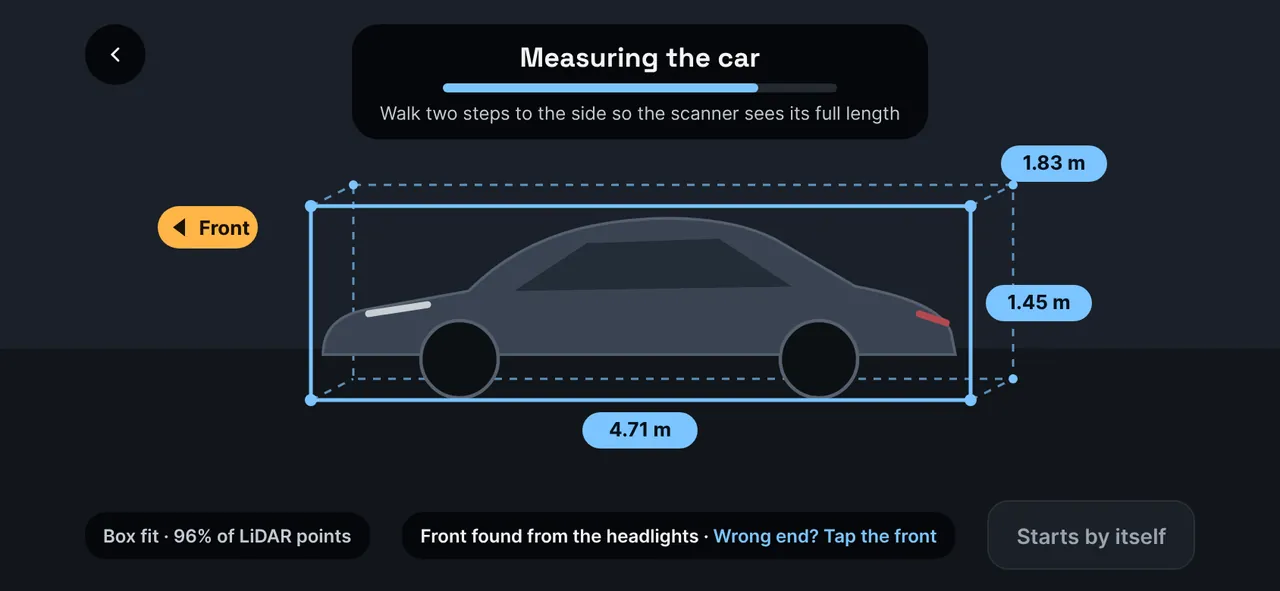
Let the app measure it
LiDAR fits a box around the car: length, width, height, and which end is the front.
-
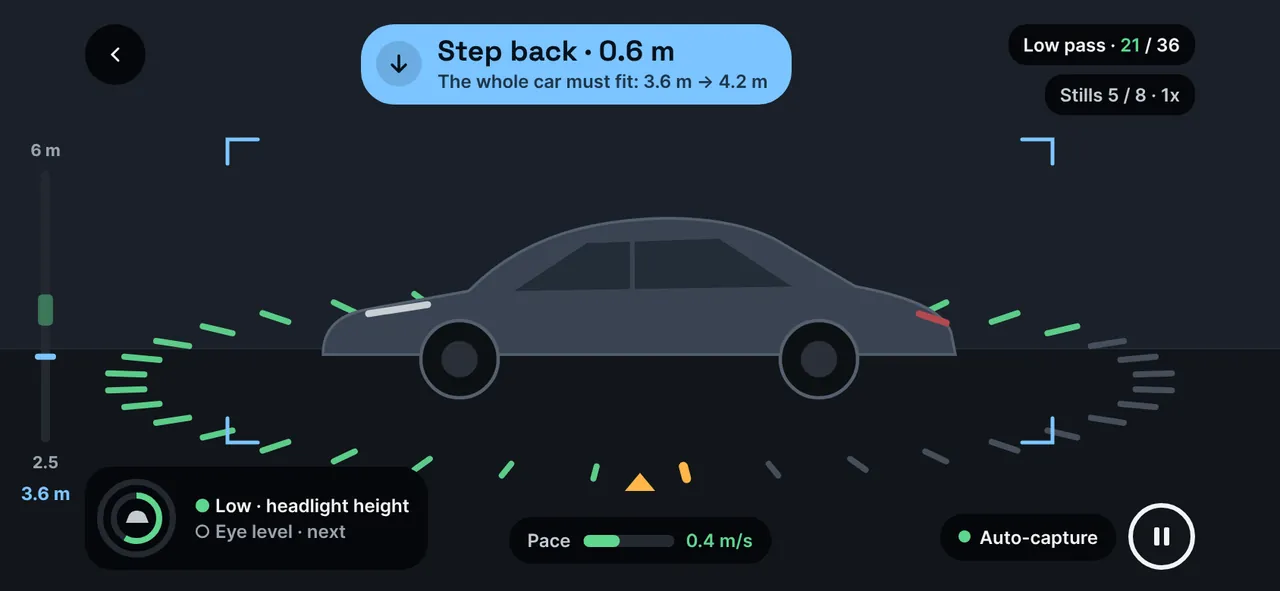
Walk around, twice
Once at headlight height, once at eye level. The ring fills and the eight main photos take themselves.
-
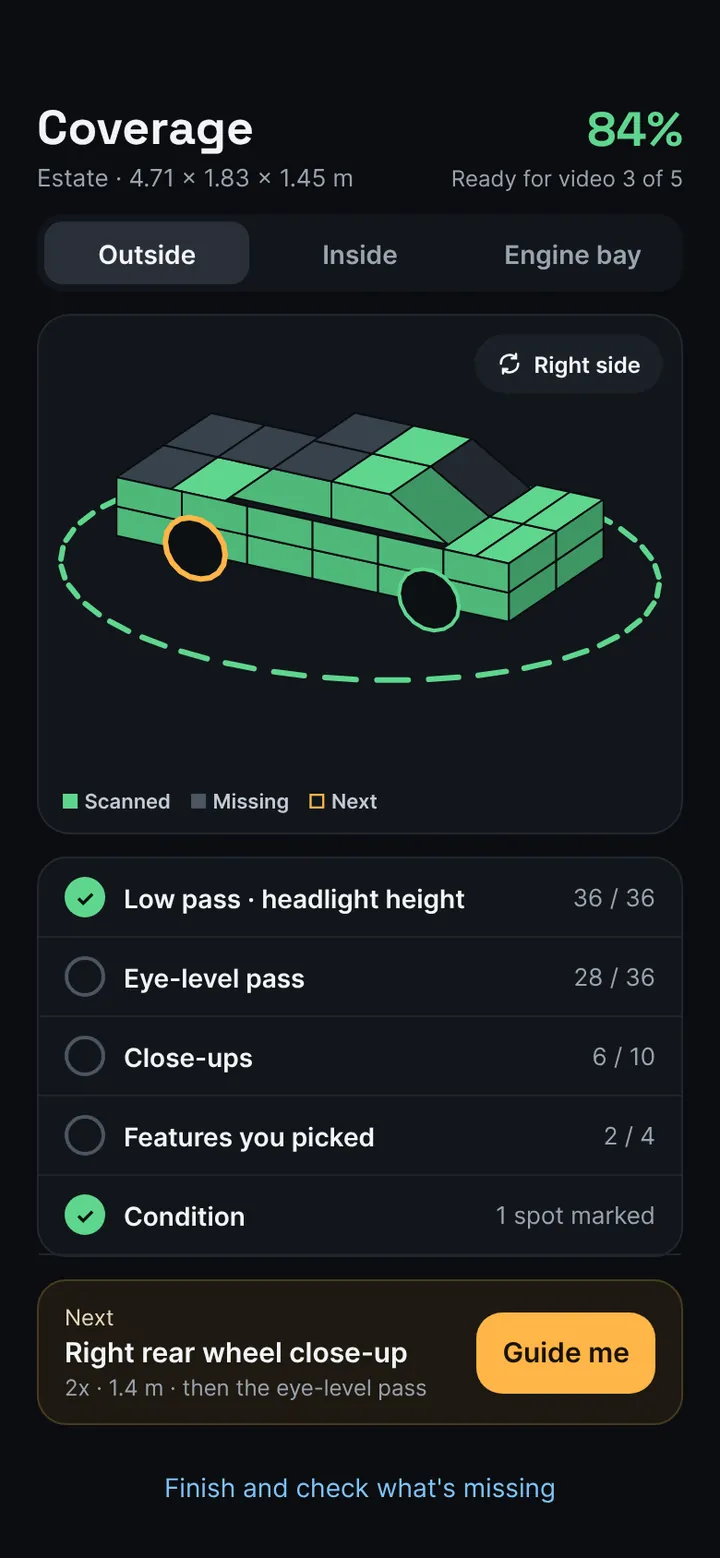
Fill in what's missing
A 3D model shows anything not yet covered. Tap Guide me and the app takes you there.
-
Upload when you're online
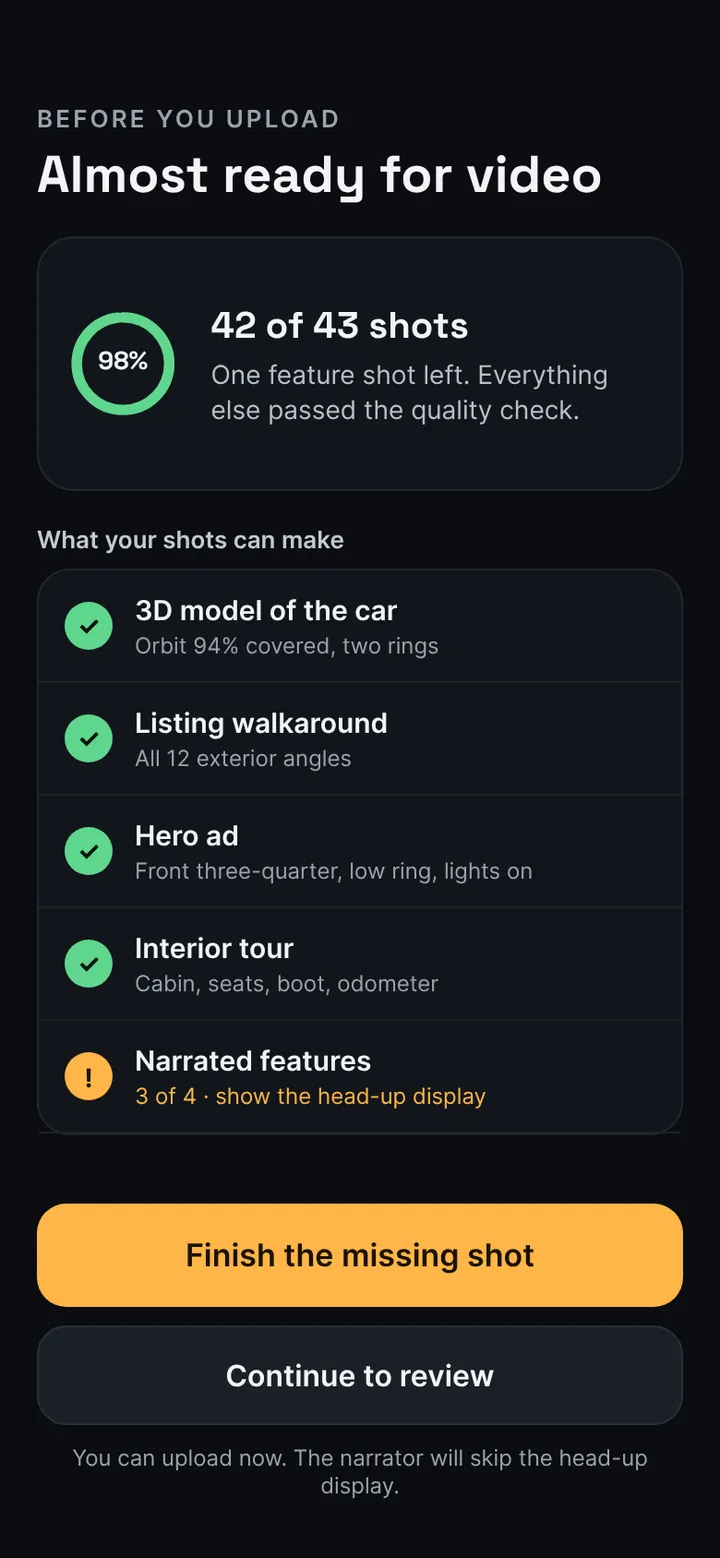
Every photo is checked for sharpness and exposure before you leave the car.
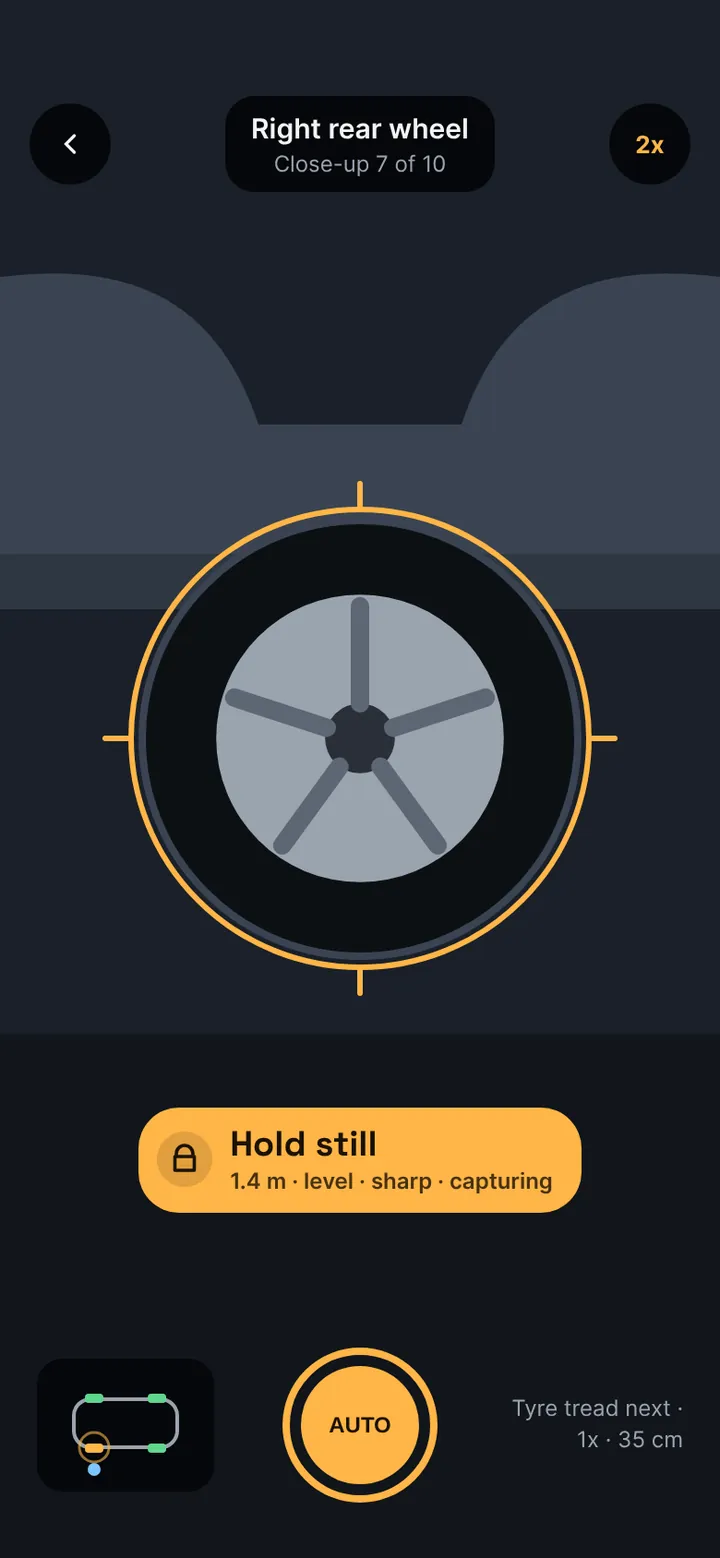
Not “move a bit closer”. Step back 0.6 m.
Every instruction is calculated from the measured car and your phone's position: distance, height, angle, even how fast you can walk in the light you have. One instruction at a time, with a tap you can feel when it's right.
Every angle a buyer looks for, ticked off
A 3D model of your car fills in green as you go, so you never drive away with a missing photo.
| Exterior | 8 angles and 4 wheels, taken automatically as you walk |
|---|---|
| Walk-around | Two passes at headlight and eye height, for smooth 3D camera moves in your video |
| Details | Lights, badges, wheel details, both keys and the service records |
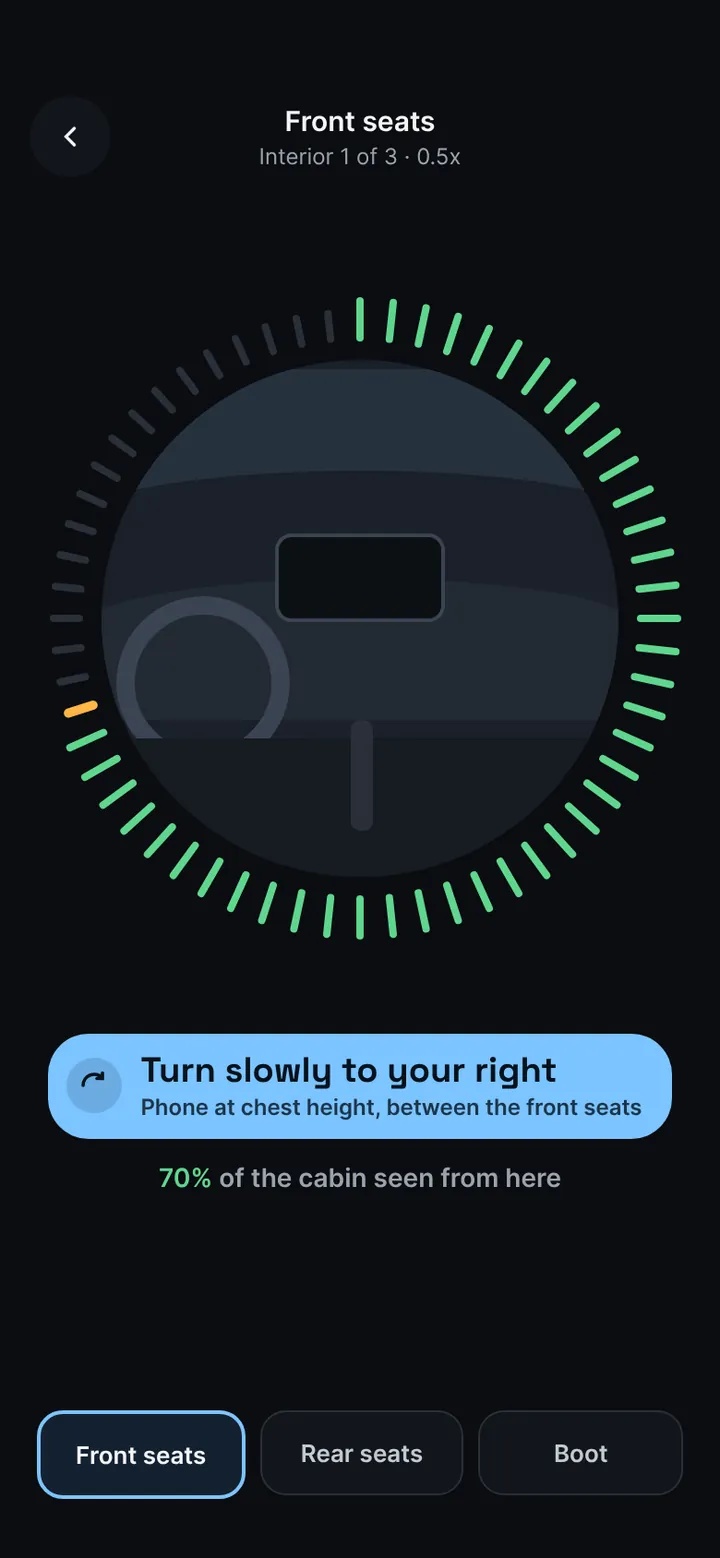
| Interior | Front seats, rear seats and cargo area: turn slowly in each |
| Engine bay | Opened, plus the VIN sticker |
| Your extras | One guided shot for each feature you picked |
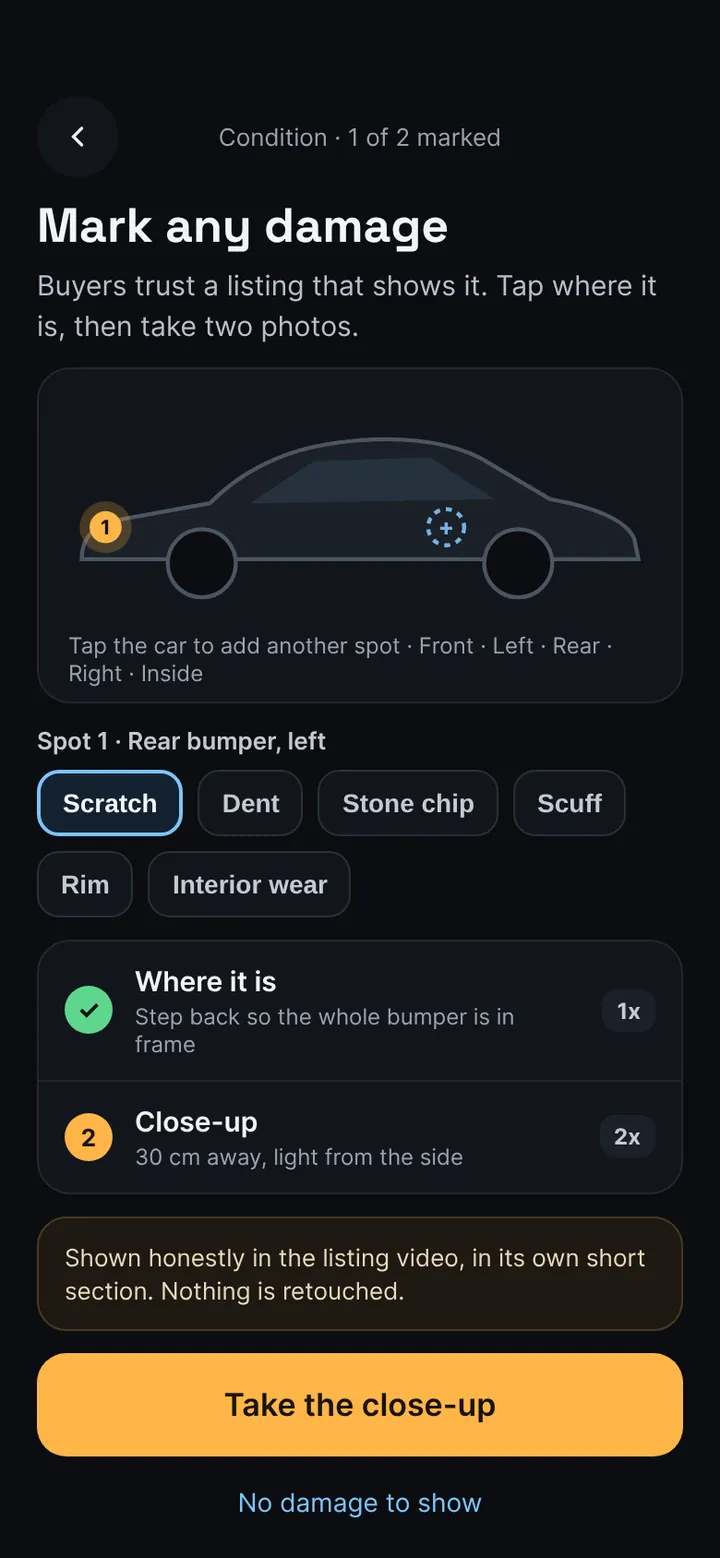
| Condition | Any damage you mark: a context photo and a close-up |
About 40 photos for a typical car, most of them taken for you.
From one walk to a full listing
Every photo is checked for sharpness and exposure, plates are blurred, and the set is ready to post.
Honest listings, by design
Buyers trust what they can see. The app makes showing the truth the easy path.
Damage shown, not hidden
Mark a scratch or a stone chip on the car, then take a context photo and a close-up. Nothing is retouched.
Plates blurred for you
Keep the plates on the car. They're blurred automatically in every photo.
Checked before you leave
Blurry or badly exposed photos are flagged on the spot, while the car is still in front of you.
The same framing on every car, whoever holds the phone
- A new team member shoots like your best photographer from day one.
- Photos upload in the background while you move on to the next car.
- Identical angles across your whole stock, so your listings look like one showroom.
- Data can be deleted per device from the app.
Questions
Which iPhones does it work on?
iPhone Pro and Pro Max models with a LiDAR scanner, from iPhone 12 Pro onwards. Other iPhones can open a sample car, but they can't run a guided scan.
Do I need a tripod, a studio or a photographer?
No. You hold the phone and walk. The app tells you where to stand and how high to hold it, and takes each photo when the framing is right.
How long does a scan take?
One walk around the car at two heights, then a few close-ups, the interior and the engine bay. Most photos are taken while you walk.
What happens to the car's plates?
The plates stay on the car and are blurred automatically in the photos.
Can I delete my data?
Yes. Settings, then Delete my data, removes your scans and photos from your phone and from our servers.
Is there an Android version?
Not yet. The guided scan needs a LiDAR scanner, so it starts on iPhone Pro.
How much does it cost?
Pricing will be announced before the App Store launch. Beta testers hear first.
Be first to try it
The beta is opening for private sellers and dealers. It runs on iPhone only for now: iPhone Pro and Pro Max models with a LiDAR scanner, iPhone 12 Pro and newer.
We only use your details to run the beta. Privacy
Talk to us
Dealer access, support, press or anything else. A person reads every message and replies by email.